VirtualBoss Construction Scheduling Software
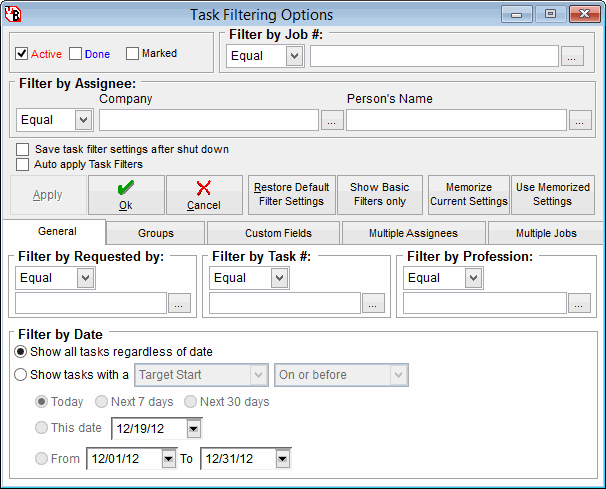
Filtering Options
With our filtering options you can filter down to only the items you want to see. You can add tasks and or jobs to groups and view only tasks that are members of the groups you set up. Example groups are north end of town, primary scheduling items, active jobs, pending jobs. You can make any group you want. You can apply these filters to what you see on screen and what you print or fax.

See more Task Manager info
See VirtualBoss on a Pocket PC

Buy VirtualBoss
Go to Home Page

Filter your tasks down by what you want to see, or view them all.  This is the critical portion of the project scheduling software!

See schedule in Gantt chart format
See on screen schedule
See printed schedule

See printed work order
See Task Detail Screen


(Material in www.virtualboss.net and software provided)
Copyright 1997-2012
. All rights reserved