|
When a PC on your network is acting as a Remote
VirtualBoss server, it is best to always have that
PC assigned to the same IP address. This is because
your router is always going to send Remote VirtualBoss
requests (HTTP requests) to one specific IP address.
Ideally, your router will have an option that allows
you to assign a specific IP address to the PC that
is acting as the Remote VirtualBoss server. Some
routers do not have this feature. If your router
does not have this feature, you can configure your
PC to always assign itself a specific IP address (Known as a "Static IP Address").
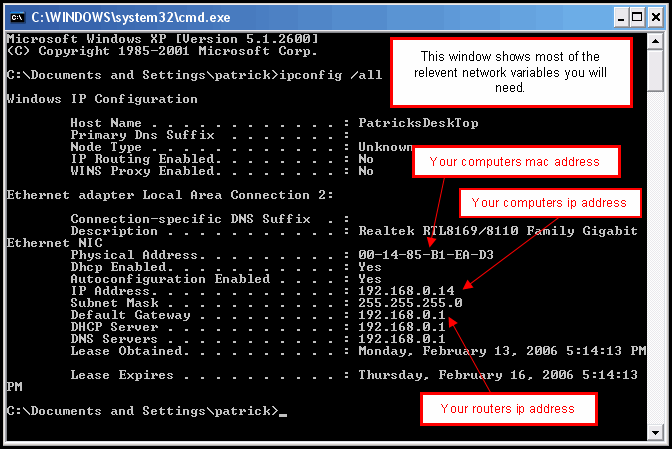
To do this, you must navigate to your TCP/IP property
settings, and enter the IP address and all other
variables that should be used.
|