Construction scheduling software
that is easy to set up, easy to learn,
and easy to use. You could be up and running less than 1 hour
from now. Plan your jobs better, save time, and get
organized the easy way.
To install VirtualBoss for the Palm Pilot,
follow these 2 steps:
Step
1: Get the Palm VirtualBoss software (version 4.0 build 96) by clicking here. Once downloaded, double click on the file, and follow
the on-screen instructions.
If you are going to use Palm VirtualBoss only, stop here. You are done.
If you are going to synchronize Palm and PC VirtualBoss go to step
2.
Step
2: Set up HotSync to Synchronize with the VirtualBoss
Data on your PC. In order to sync with Palm VirtualBoss 4.0, you
must have PC VirtualBoss 3.70a or higher. If you need to upgrade PC
VirtualBoss to 4.10 click on the
upgrade link. If you do not have
PC VirtualBoss you can download a free trial by clicking on the
download link.
Once
VirtualBoss is installed on your Palm Pilot, click on the HotSync manager icon on the lower right hand
corner of your pc desktop.
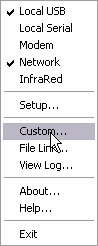
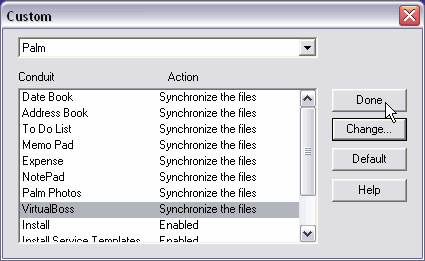
Click on
Custom…
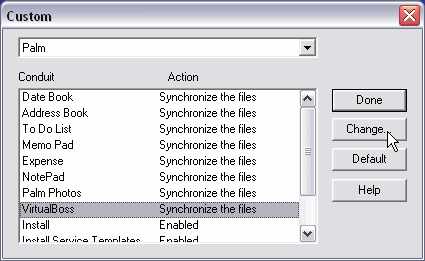
Click on VirtualBoss,
then click on Change…
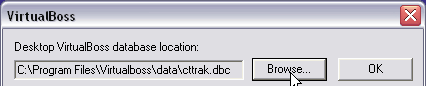
You should know where your company data set is. If you never changed the default
location for data after you installed PC VirtualBoss it will be in the following
directory. "C:\Program Files\VirtualBoss\Data" If you do not know where your data is you can go find out in PC VirtualBoss.
Go to the File menu and click on Open Database. The data base that is currently
opened will be highlighted and you can follow the highlighted path to
locate your data.
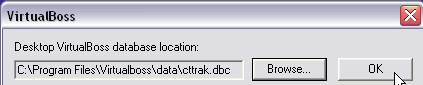
Then Press OK
Then click Done.
Now, when you press
the HotSync button, the data from the PC
VirtualBoss database will be synchronized on to the Palm.