Construction scheduling software
that is easy to set up, easy to learn,
and easy to use. You could be up and running less than 1 hour
from now. Plan your jobs better, save time, and get
organized the easy way.
Pocket VirtualBoss
Deinstall & Upgrade procedure Return to the Pocket VirtualBoss install
instructions
It takes 3 steps to fully deinstall Pocket VirtualBoss
If you do not know how to do these things, detailed instructions are
below.
Step 1 - Remove
VirtualBoss sync object from ActiveSync.
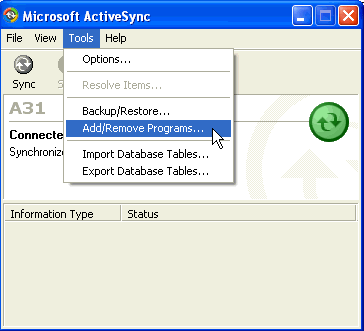
Step 2 - Use ActiveSync Add/Remove
Program utility to remove.
Step 3 - Use your PC Add/Remove Program utility to remove all
signs of Pocket VirtualBoss.
Step 1 - Remove
VirtualBoss sync object from ActiveSync.
Remove VirtualBoss from your Sync Settings
Remove the check mark next to VirtualBoss and then click on the OK
button
Make sure VirtualBoss does not show on the to be Synchronized
list below.
If this is the case you can go to step 2.
Step 2 - Use ActiveSync Add/Remove Program utility to remove
Pocket VirtualBoss.
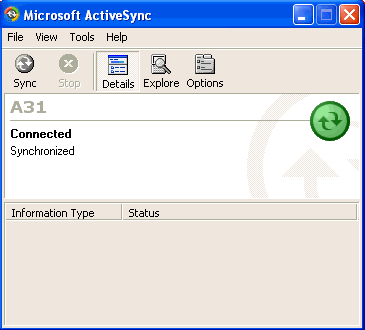
Make sure your pocket pc is in the cradle and connected.
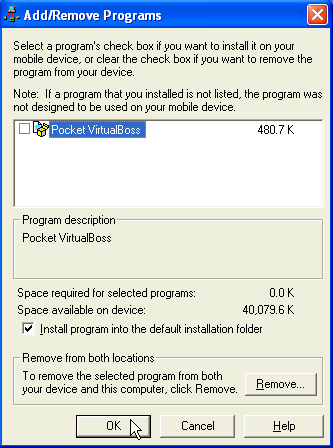
Remove the check mark from Pocket VirtualBoss and click on OK button.
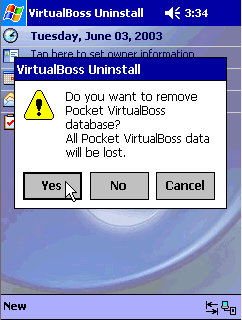
If you see this screen on your pocket pc select the Yes option.
The data will be replaced when you reinstall pocket VirtualBoss later.
If you do not remove the database, it could cause problems when you upgrade.
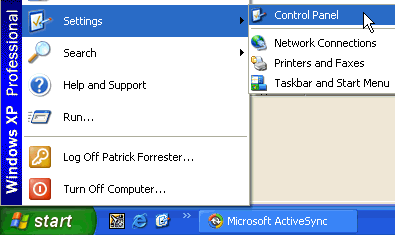
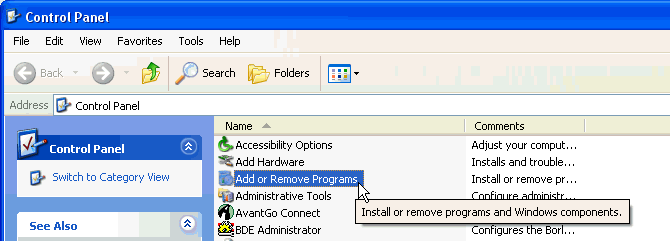
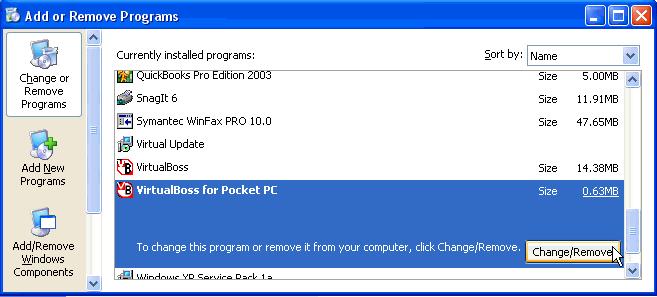
Step 3 - Use your PC Add/Remove Program utility to remove all
remaining signs of Pocket VirtualBoss.
Remove your pocket pc from the cradle.
Leave it removed until this step is complete.
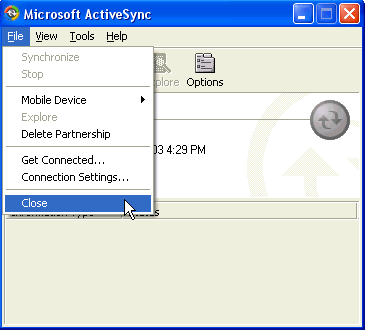
Also shut down Active Sync